According to Bain & Company, 60% of post-acquisition value creation plans are delayed by...
Welcome to ERP For Private Equity
Construction companies lose project margin at three points: untracked change orders, late WIP reporting, and disconnected field-to-office data. Acumatica Construction Edition eliminates all three. Erp for private equity implements Acumatica Construction Edition for general contractors, specialty subcontractors, real estate developers, heavy civil firms, and PE-backed construction portfolios.
.png?width=1024&height=732&name=ERP%20Software%20for%20Private%20Equity%20Firms%20%26%20Portfolio%20Companies%20(1).png "ERP Software for Private Equity Firms")
ERP for Private Equity does not run scripted demos. We map your portfolio structure, your job types, and your billing workflows before we show you anything.
Construction ERP software is a cloud platform that integrates job cost accounting, AIA G702/G703 billing, WIP reporting, retainage tracking, certified payroll, subcontractor compliance, and field operations into one connected system.
It tracks project profitability at the cost code level — separating labor, material, equipment, subcontractor, and other direct costs — across every active project simultaneously and in real time.
Construction ERP differs from general business ERP in one fundamental way: it manages project-level P&L, not just company-level financials. Each project runs as an independent cost center with its own budget, draw schedule, retainage balance, change order log, and WIP position.
Acumatica Construction Edition is used by 5,000+ construction companies, including general contractors, specialty subcontractors, real estate developers, heavy civil firms, and PE-backed construction portfolios.
Construction ERP tracks job profitability at the cost code level across every active project simultaneously. QuickBooks and Sage track company-level income and expenses — not project-level margin.
QuickBooks has no native capabilities for:
Sage 300 CRE handles basic construction accounting but runs on legacy on-premise architecture with per-seat licensing, no real-time field connectivity, and no native mobile access. Acumatica Construction Edition is cloud-native, mobile-first, and priced on transaction consumption — not per-user fees — saving $50,000+ annually compared to Sage per-seat licensing.
Source: Safety Management Group, Acumatica case study
Modern construction ERPs are cloud-native, mobile-first, and priced on transaction consumption. Legacy ERPs like Sage 300 CRE and Viewpoint Vista require on-site servers, dedicated IT maintenance, and scheduled manual upgrades.
Four measurable differences separate modern from legacy construction ERP:
A construction ERP system requires 12 capabilities to manage project profitability, compliance, and field operations effectively.
Financial capabilities:
Project and compliance capabilities:
Field and technology capabilities:
PE-backed construction portfolios require one additional capability: consolidated financial reporting across all portfolio entities from a single platform instance with a standardized chart of accounts.
A construction company should upgrade its ERP software when the current system creates financial blind spots, compliance risk, or manual reporting that delays project decisions.
7 specific operational triggers that indicate it is time to upgrade:
Three or more of these conditions present in the same company indicate the current system causes measurable margin loss on every project cycle.
Construction ERP improves job profitability by tracking budget-vs-actual costs at the cost code level in real time — identifying overruns while projects are active, not after completion when corrective action is no longer possible.
It improves cash flow visibility through three specific mechanisms:
Curran Young Construction recorded a 30% reduction in project financial reporting time after implementing Acumatica Construction Edition.
Acumatica Construction Edition manages unlimited legal entities within a single platform instance — with no additional per-entity licensing fees.
For PE-backed construction portfolios, the platform delivers four capabilities that generic ERP and single-entity construction software cannot:
ERP for Private Equity configures Acumatica Construction Edition specifically for PE portfolio deployment — including LP-ready financial reporting, operating partner dashboards, and portfolio-level KPI tracking across all construction entities.
Acumatica Construction Edition includes four module categories covering the complete financial and operational lifecycle of a construction company.
Financial modules: Job cost accounting, AIA G702/G703 billing, retainage management, WIP reporting with percentage-of-completion accounting, multi-entity financial consolidation, intercompany accounting, AP automation with AI invoice recognition, and certified payroll with Davis-Bacon compliance.
Project modules: Contract management, change order processing with audit trail, subcontractor management with COI and lien waiver tracking, and RFI and submittal document management.
Field modules: Mobile timesheets, daily field reports, site inspections, and real-time field-to-office data sync on any device.
Reporting and integrations: Construction 360 dashboard, real-time KPI reporting, PE portfolio consolidated financial views, and 300+ marketplace integrations including Procore, Autodesk Construction Cloud, Trimble, WorkMax TIME, and GoFormz.
Acumatica Construction Edition runs on unlimited user licensing — no per-seat fees — across field crews, project managers, subcontractors, back-office staff, and PE portfolio sponsors.
Acumatica Construction Edition uses consumption-based pricing — calculated on monthly transaction volume, not user count. This model eliminates per-seat licensing fees entirely.
Three variables determine total platform cost:
Construction companies switching from Sage 300 CRE or Viewpoint Vista save $50,000+ annually by eliminating per-user licensing fees — regardless of how many field employees, subcontractors, or project managers access the system.
ERP for Private Equity provides a fixed-scope implementation quote based on portfolio structure, transaction volume, entity count, and integration requirements before any engagement begins.
Single-entity construction ERP implementation takes 3 to 4 months. Multi-entity PE portfolio deployments take 6 to 9 months depending on entity count, data complexity, and integration scope.
Acumatica FastTrack Deployment completes standard single-entity implementations in 8 to 12 weeks for companies with clean data and standard workflows.
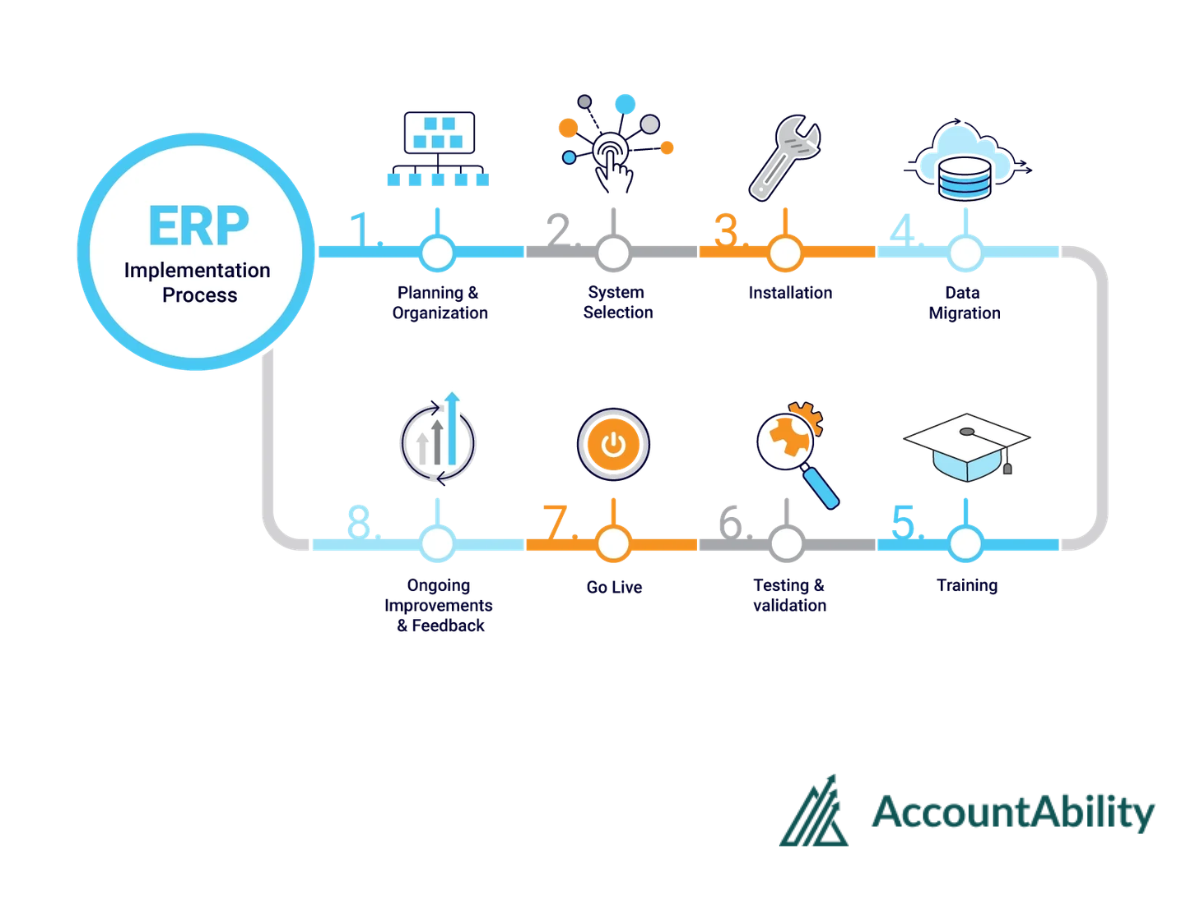
ERP for Private Equity uses a 4-phase portfolio deployment model:
For PE portfolios with multiple construction entities, the first entity implements as the master configuration template. Subsequent entities deploy from the validated template — reducing per-entity implementation time at each additional rollout.
Construction ERP implementation simplifies when five actions are completed before the configuration phase begins.
Construction ERP ROI is measurable across four dimensions: reduced labor costs, recovered project margin, eliminated software licensing fees, and faster financial close cycles.
Verified outcomes from Acumatica Construction Edition customers: