
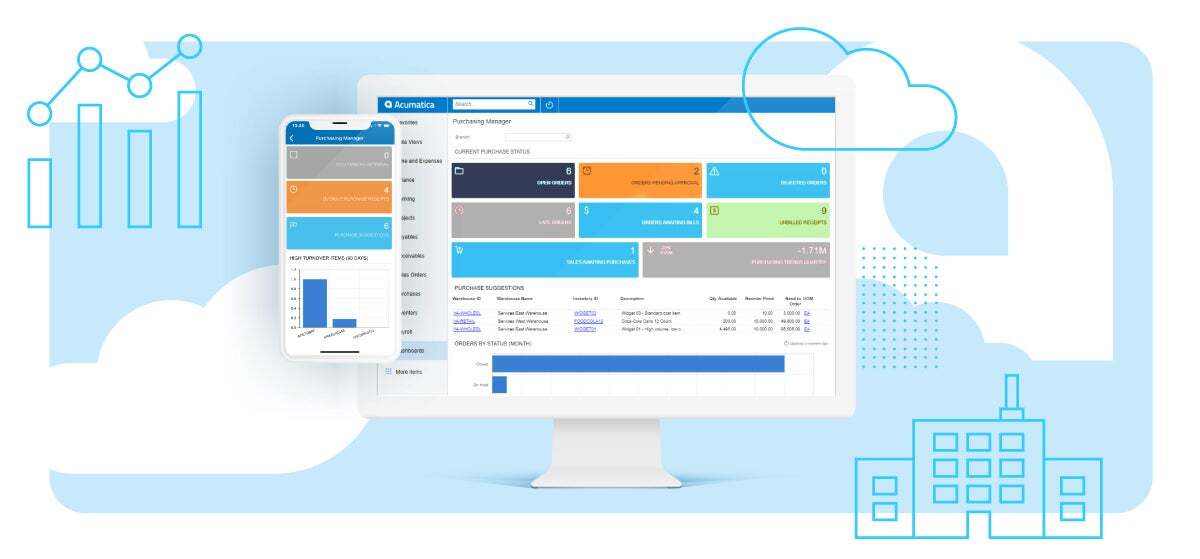
Businesses run on data sales figures, inventory counts, payroll records, customer histories. When this data lives in separate systems, teams lose time reconciling numbers instead of using them. Cloud ERP solves this by unifying every core business function into one internet-based platform, accessible from any location with a working connection.
Companies of all sizes, from small retailers to multinational manufacturers, use cloud ERP to replace fragmented spreadsheets and disconnected software with a single source of truth. The shift from on-premise servers to cloud infrastructure has made enterprise-grade resource planning accessible to businesses that previously couldn't afford the hardware, IT staff, or maintenance costs traditional ERP demanded.
This guide explains what cloud ERP is, how it works, and what businesses need to know before adopting it.
What Is Cloud ERP?
Cloud ERP is enterprise resource planning software hosted on a vendor's servers and delivered over the internet, rather than installed on a company's own hardware. This is the core differentiator from on-premise ERP, which requires a business to purchase, house, and maintain its own servers, security systems, and IT staff. Cloud ERP shifts that infrastructure responsibility to the vendor.
The core function of cloud ERP is integration. It unifies financial management, inventory, procurement, human resources, and supply chain data into one connected system, giving every department access to the same real-time information. A sales team sees current inventory levels. A finance team monitors cash flow without waiting on manual reports. Employees log in through a browser, and the system runs continuously, maintained and updated by the provider.
Cloud ERP typically runs on multi-tenant architecture, where multiple organizations share the same software infrastructure while keeping their data isolated and inaccessible to others. Some vendors also offer single-tenant deployment, where one organization runs a private, dedicated instance. Both models remove the need for on-site servers.
Businesses adopt cloud ERP for three primary reasons: lower upfront costs, faster implementation, and continuous vendor-managed updates. On-premise ERP requires capital investment in hardware and ongoing internal maintenance. Cloud ERP replaces that with a subscription model, where the vendor handles security patches, upgrades, and infrastructure scaling.
Small businesses, mid-sized companies, and large enterprises use cloud ERP across manufacturing, retail, healthcare, and professional services. Deployment models vary public cloud, private cloud, and hybrid cloud each offering different levels of control, cost, and customization depending on business size and regulatory needs.
Key Takeaways
- Cloud ERP integrates core business functions into one vendor-hosted system, accessed over the internet without on-premises infrastructure.
- Vendor-managed maintenance and anywhere-access give cloud ERP scalability and a lower total cost of ownership than on-premise systems.
- Cloud ERP shifts server, security, and update responsibility from the company to the vendor, unlike on-premise ERP.
- Multi-tenant SaaS delivers core financial and accounting functions, supplemented by optional HR, CRM, and supply chain modules.
Cloud ERP Concepts and Terminology
What "Cloud-Based" Means in ERP Context
Cloud-based means software hosted on a vendor's remote servers and accessed over the internet. The vendor owns the infrastructure — servers, storage, networking — and delivers the software as a continuous service. Users log in through a browser. Updates, security patches, and backups run on the vendor's side, not the customer's.
SaaS ERP vs. Cloud ERP
SaaS ERP and cloud ERP are largely synonymous terms. Both describe ERP software delivered over the internet on a subscription basis. SaaS defines the pricing model — subscription access without software ownership. Cloud ERP defines the broader category, of which SaaS is the dominant form. Non-SaaS variants exist, such as single-tenant hosted deployments, so the terms overlap without being fully interchangeable.
Multi-Tenant vs. Single-Tenant Architecture
Multi-tenant architecture runs one software version across multiple organizations on shared infrastructure, with each organization's data isolated from others. Single-tenant architecture runs a dedicated instance for one organization on private servers. Multi-tenant SaaS is the standard cloud ERP model, offering lower costs and faster updates through one shared codebase. Single-tenant deployments cost more but give organizations tighter control over customization and data isolation — a priority for industries with strict regulatory requirements.
How Does Cloud ERP Work?
Cloud ERP works by hosting business software and data on a vendor's servers, accessible to users through an internet connection. Employees log in via a web browser or mobile app, and the vendor's infrastructure processes and stores all data centrally. No local servers or on-site hardware are required.
The system synchronizes data across departments in real time. A sale recorded in one module updates inventory counts, financial records, and supply chain status simultaneously. This removes the delay between departments working from outdated or disconnected reports.
The vendor manages security updates, software patches, and infrastructure scaling on an ongoing basis. Businesses connect through a subscription, and the underlying architecture typically multi-tenant SaaS allocates shared infrastructure while isolating each organization's data. Availability commitments from major cloud ERP vendors reach 99.9% uptime or higher, minimizing unplanned downtime.
Components of Cloud ERP Software
Cloud ERP software is built from modular components that manage distinct business functions within one connected system. Organizations select modules based on industry, size, and operational needs, while a subset of core modules — financials and accounting — remains standard across nearly all deployments.
Financial Management and Accounting
Financial management and accounting form the core module present in every cloud ERP system. This module handles general ledger, accounts payable, accounts receivable, cash flow tracking, and financial reporting. It gives finance teams real-time visibility into revenue, expenses, and cash position without manual reconciliation across separate tools.
Inventory and Supply Chain Management
Inventory and supply chain management track stock levels, orders, and movement of goods from supplier to customer. This module monitors procurement, warehouse stock, order fulfillment, and distribution in real time. Retailers, manufacturers, and distributors rely on this component to prevent stockouts and reduce excess inventory costs.
Human Resources
Human resources modules manage employee data, payroll, benefits, and workforce planning within the ERP system. Also known as human capital management (HCM) or human resource management software (HRMS), this component centralizes hiring, attendance, compensation, and compliance records alongside financial and operational data.
Customer Relationship Management (CRM)
Customer relationship management tracks customer interactions, sales pipelines, and service history within the ERP platform. Integrating CRM with ERP connects sales and finance data directly, giving sales teams visibility into order status, invoicing, and account history without switching systems.
Global Business Management (Multi-Entity, Multi-Currency)
Global business management supports companies operating across multiple legal entities, currencies, and tax jurisdictions from one system. This component consolidates financial reporting across subsidiaries, automates currency conversion, and applies region-specific tax and compliance rules, a requirement for multinational and multi-subsidiary organizations.
Planning and Budgeting
Planning and budgeting tools support forecasting, budget creation, and financial scenario modeling within the ERP system. Finance teams use this module to compare actual performance against forecasts, adjust budgets in real time, and align spending across departments without exporting data to separate spreadsheets.
Why Choose a Cloud ERP System?
Businesses choose cloud ERP for lower infrastructure costs, faster deployment, and reduced IT burden compared to on-premise systems. On-premise ERP requires upfront investment in servers, licenses, and in-house IT staff to manage security and updates. Cloud ERP removes that requirement, shifting infrastructure ownership and maintenance to the vendor.
Growing businesses face changing data volumes, user counts, and operational complexity. Cloud ERP scales with these changes without additional hardware purchases, letting a company add users, modules, or subsidiaries as needs expand. On-premise systems require new server capacity for the same growth, adding cost and delay.
Remote and distributed teams also drive adoption. Cloud ERP gives every user the same real-time data through an internet connection, regardless of location or device. This matters for organizations with multiple offices, remote employees, or global operations, where centralized, on-premise infrastructure creates access bottlenecks.
Types of Cloud ERP Deployment
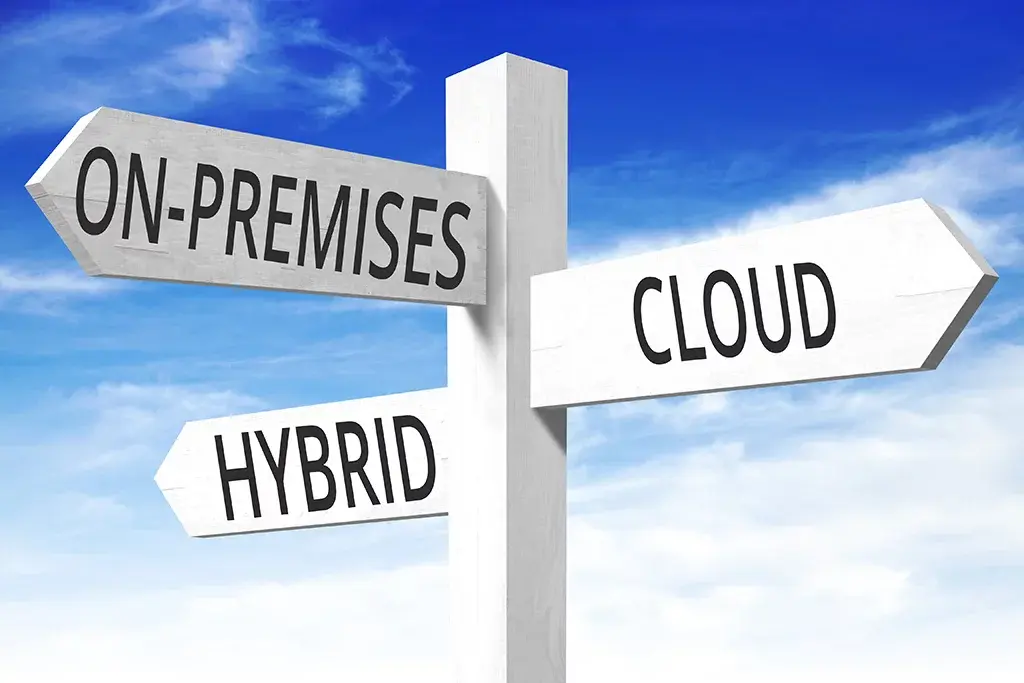
Cloud ERP is available in three primary ERP deployment models: public cloud, private cloud, and hybrid cloud. Each model differs in infrastructure ownership, cost, and control, letting businesses match deployment to their security, compliance, and budget requirements.
Public Cloud ERP
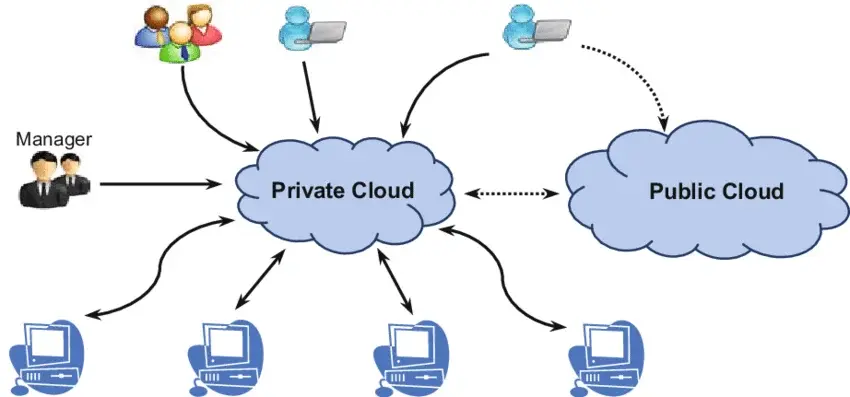
Public cloud ERP runs on shared infrastructure owned and managed by the vendor, serving multiple organizations at once. Each organization's data stays isolated and inaccessible to others, despite running on common servers. This model, often delivered as multi-tenant SaaS, offers the lowest cost and fastest deployment among the three types, since the vendor spreads infrastructure costs across all customers.
Private Cloud ERP
Private cloud ERP runs on dedicated infrastructure reserved for a single organization, hosted by the vendor or a third party. No other company shares the same servers or software instance. This model costs more than public cloud but gives organizations greater control over data isolation and customization, a priority for businesses with strict regulatory or compliance requirements.
Hybrid Cloud ERP
Hybrid cloud ERP combines on-premise infrastructure with public or private cloud services within one system. Organizations keep sensitive data or legacy applications on local servers while running other functions, such as CRM or HR, in the cloud. This model suits businesses transitioning from on-premise systems or requiring specific data to remain on-site for regulatory reasons.
Cloud ERP vs. On-Premise ERP
Cloud ERP and on-premise ERP differ primarily in infrastructure ownership, cost structure, and who manages maintenance. Cloud ERP runs on vendor-owned servers accessed over the internet. On-premise ERP runs on company-owned hardware, installed and maintained by internal IT staff.
Cost Structure
Cloud ERP uses a subscription pricing model, charging per user or per organization on a recurring basis. On-premise ERP requires upfront capital investment in software licenses, servers, and networking hardware, plus ongoing costs for maintenance and IT staffing. Cloud ERP typically costs around 30% less than on-premise ERP over time, since it removes hardware purchases and dedicated IT overhead.
Deployment and Maintenance
Cloud ERP deployment is managed by the vendor, including installation, updates, and infrastructure scaling. On-premise ERP deployment requires a company to select hardware, install software locally, and assign IT staff to manage ongoing maintenance. Cloud ERP updates typically complete within 30 minutes during off-hours; on-premise upgrades often require scheduled downtime and, in some cases, outside contractors.
Security and Compliance
Cloud ERP security is handled by the vendor, including encryption, access controls, and disaster recovery. On-premise ERP places security responsibility on the company's own IT team, including firewalls, backups, and physical server protection. Cloud vendors generally maintain compliance with regulations such as HIPAA and GDPR, while on-premise systems require the company to build and maintain compliance measures independently.
Scalability
Cloud ERP scales by adding users, modules, or storage capacity without new hardware purchases. On-premise ERP scaling requires purchasing and installing additional servers as user counts or data volumes grow. This makes cloud ERP faster to scale for businesses expanding through growth, new locations, or acquisitions.
Hybrid ERP vs. Cloud ERP
Hybrid ERP and cloud ERP differ in how much infrastructure stays on company-owned servers versus the vendor's cloud. Cloud ERP runs entirely on vendor-hosted infrastructure, with no on-premise servers required. Hybrid ERP splits functions between on-premise systems and cloud services, keeping some data or applications local while running others through the cloud.
Businesses choose hybrid ERP when specific data must remain on-site for regulatory, security, or legacy-system reasons, while other functions benefit from cloud scalability. A company might keep financial records on local servers while running CRM or HR modules in the cloud. This split adds integration complexity, since data must sync accurately between on-premise and cloud environments.
Cloud ERP removes this complexity by centralizing all functions in one hosted system. Businesses without legacy infrastructure constraints or strict on-site data requirements generally find full cloud ERP simpler to deploy and maintain than a hybrid model, since hybrid setups require managing two separate environments rather than one.
Benefits of Cloud ERP
Cloud ERP delivers seven core benefits: lower upfront costs, faster implementation, anywhere access, automatic updates, scalability, stronger security, and easier integrations. These advantages of cloud-based ERP software stem directly from the vendor-managed infrastructure model, which removes hardware ownership and maintenance burden from the business.
-
Lower Upfront Costs : Cloud ERP reduces upfront costs by removing the need to purchase servers, licenses, and IT infrastructure. Businesses pay a recurring subscription fee the core of the ERP subscription pricing model — instead of a large capital expenditure (CapEx). Cloud ERP typically costs around 30% less than on-premise ERP over the system's lifecycle, shifting spend toward operating expenditure (OpEx) as ongoing maintenance and hardware refresh costs move to the vendor.
-
Faster Implementation : Cloud ERP achieves faster implementation by eliminating hardware selection, installation, and IT staffing steps. Businesses can begin using core financial management and accounting modules without setting up physical servers. On-premise ERP implementation timelines often extend past projections; the cloud ERP implementation process generally reaches production faster since vendor infrastructure is already in place.
-
Anywhere, Real-Time Access : Cloud ERP provides anywhere, real-time access through an internet connection on any device. Employees view the same live data across financial management, inventory management, and supply chain management modules, regardless of location. This real-time data access benefits distributed teams and multi-location businesses that need consistent information across departments.
-
Automatic Updates and Maintenance : Cloud ERP applies automatic ERP updates and maintenance managed entirely by the vendor. Security patches, feature upgrades, and system maintenance run on the vendor's schedule, often completing within 30 minutes during off-hours. On-premise ERP requires internal IT staff or contractors to manage updates manually, adding time, cost, and downtime risk.
-
Scalability for Growth : Cloud ERP supports scalability for growth by adding users, modules, or storage capacity without new hardware. As a business expands through hiring, new locations, or acquisitions, a scalable ERP solution adjusts capacity without infrastructure delays. On-premise ERP requires purchasing and configuring additional servers to support the same growth, a bottleneck cloud deployment models avoid.
-
Stronger Security and Backup : Cloud ERP offers stronger security and backup through vendor-managed data encryption, redundancy, and disaster recovery. Data is stored across multiple geographically dispersed data centers, protecting against loss from hardware failure or physical disasters. Cloud vendors maintain compliance with regulations such as GDPR and SOC 2, along with role-based access control, reducing the compliance burden on individual businesses.
-
Better Third-Party Integrations : Cloud ERP enables better third-party integrations through API integration with other cloud-based applications. New modules including CRM integration, business intelligence (BI) tools, and e-commerce platforms connect without additional hardware or system downtime. This integration flexibility lets businesses extend core ERP modules with specialized software as operational needs evolve.
Cloud ERP Challenges and Considerations
Cloud ERP presents four primary challenges: internet dependency, vendor lock-in, customization limits, and data migration risk. These considerations affect implementation planning and long-term system flexibility, particularly for larger organizations migrating from legacy on-premise ERP.
Internet Dependency
Internet dependency means cloud ERP requires a stable connection to access data and run daily operations. Without internet access, users cannot log in, process transactions, or view real-time information. Businesses in areas with unreliable connectivity, or those running mission-critical operations, need contingency plans for outages affecting the vendor's cloud infrastructure.
Vendor Lock-In
Vendor lock-in occurs when a business becomes dependent on one cloud ERP provider's platform, data structure, and integrations. Switching vendors later requires migrating data, retraining staff, and rebuilding custom integrations, creating cost and disruption. Organizations reduce this risk by reviewing data export options and contract terms before committing to a provider.
Customization Limits
Customization limits restrict how much a business can modify a multi-tenant cloud ERP system to fit unique workflows. Multi-tenant SaaS platforms share a common codebase across customers, which limits deep customization compared to on-premise systems. Businesses with highly specialized processes may find single-tenant or hybrid deployment models better suited to custom configuration needs.
Data Migration Risk
Data migration risk involves potential data loss, corruption, or downtime when transferring records from an existing system to cloud ERP. Legacy systems with years of accumulated data face higher risk during migration, particularly when data formats are inconsistent or poorly documented. Careful planning, data cleansing, and testing before go-live reduce this risk significantly.
When's the Right Time to Switch to Cloud ERP?
The right time to switch to cloud ERP is when spreadsheets, disconnected software, or an aging on-premise system can no longer support current data volume or team size. Five signals typically indicate this point: frequent system downtime, delayed financial reporting, manual data reconciliation across departments, rising IT maintenance costs, and expansion into new locations or business units.
Frequent downtime disrupts daily operations and signals aging on-premise infrastructure nearing its capacity limit. Delayed financial reporting occurs when finance teams manually consolidate data from disconnected systems, slowing month-end close and audit response. Manual reconciliation across inventory, sales, and accounting indicates a lack of real-time data integration, increasing the risk of reporting errors.
Rising IT maintenance costs, including hardware replacement and in-house server management, often exceed the cost of a cloud ERP subscription over time. Business growth through new locations, acquisitions, or increased headcount adds pressure on on-premise systems, which require new server capacity to scale. Organizations experiencing two or more of these signals typically benefit from evaluating a switch to cloud ERP before operational strain increases further.
Who Uses Cloud ERP? (Industry Use Cases)
Cloud ERP serves manufacturers, retailers, healthcare providers, professional services firms, and small to mid-sized businesses. Each industry applies it to different core functions based on operational priorities and compliance needs.
-
Manufacturing : Manufacturers use cloud ERP to manage production planning, material requirements planning (MRP), and supply chain coordination in one system. This connects procurement, inventory, and production schedules, reducing delays from disconnected planning tools.
-
Retail and E-Commerce : Retail and e-commerce businesses use cloud ERP to synchronize inventory, order management, and customer data across sales channels. This prevents overselling and gives sales teams accurate, real-time stock counts, while CRM integration links purchase history to service and marketing.
-
Healthcare : Healthcare organizations use cloud ERP to manage financial operations, supply inventory, and regulatory compliance across multiple facilities. HIPAA compliance requires strict data security, which cloud vendors build into their infrastructure, supporting accurate reporting across hospital networks.
-
Professional Services : Professional services firms use cloud ERP to track project budgets, billable hours, and resource allocation across client engagements. Planning and budgeting modules connect project costs directly to financial reporting, improving accuracy for project-based billing.
-
Small and Mid-Sized Businesses : Small and mid-sized businesses use cloud ERP to access enterprise-level financial management without large IT budgets. The subscription pricing model removes upfront hardware and staffing costs, letting growing SMBs scale without replacing their core system.
How to Choose the Right Cloud ERP System
To choose the right cloud ERP system, businesses must evaluate five factors: business size, industry needs, integration requirements, budget, and vendor support. Matching these factors to available deployment models determines system fit for current operations and future growth.
Business Size and Complexity
Business size and complexity determine how many users, modules, and entities a cloud ERP system must support. Small businesses need core financial management with a limited module set; enterprises with multiple subsidiaries require global business management for multi-entity, multi-currency operations.
Industry-Specific Needs
Industry-specific needs shape which modules and compliance features a cloud ERP system must include. Manufacturers require material requirements planning (MRP) and supply chain management; healthcare organizations need HIPAA-compliant data security. Selecting an industry-built system reduces post-implementation customization.
Integration Requirements
Integration requirements define how well a cloud ERP system connects with existing business software through APIs. Businesses running CRM, e-commerce platforms, or specialized tools need proven integration capabilities for those applications, confirmed before selection to avoid costly custom development.
Budget and Pricing Model
Budget and pricing model set the total cost of ownership across subscription fees, implementation, and ongoing support. Cloud ERP pricing typically follows per-user or per-module structures. Comparing costs over a three-to-five-year period gives a more accurate total cost of ownership (TCO) than upfront pricing alone.
Vendor Support and SLA
Vendor support and SLA define the guaranteed uptime, response times, and support channels included with a subscription. Service-level agreements specify uptime commitments, often 99.9% or higher, with penalties for missed targets — a factor worth confirming before signing a contract.
Cloud ERP Implementation Roadmap
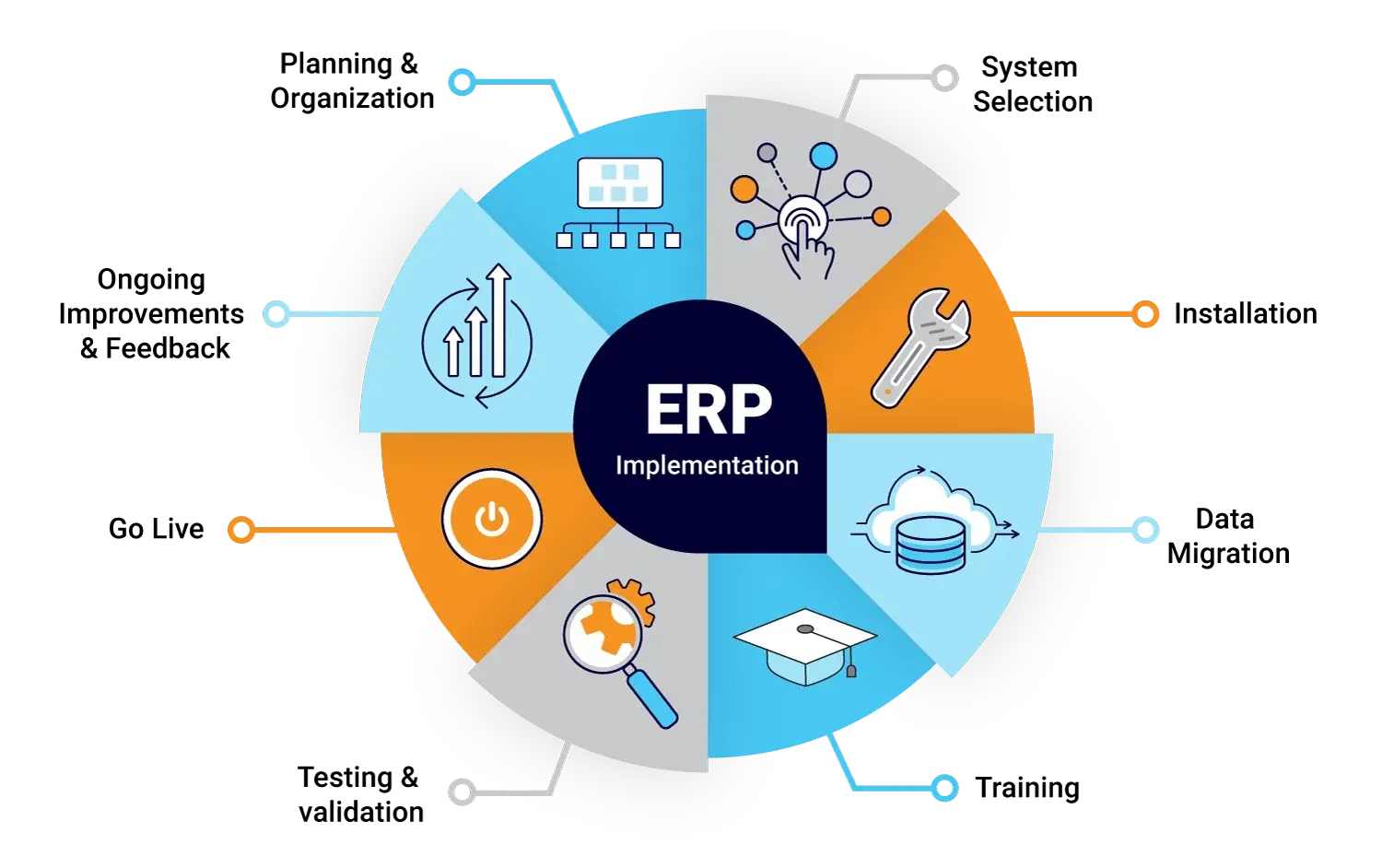
Cloud ERP implementation follows five sequential steps: discovery, data migration, customization, user training, and testing and go-live. Each step builds on the previous one, moving a business from planning to a fully operational system.
Discovery : Discovery identifies business requirements, current workflows, and module needs before configuration begins. Teams document existing processes, data sources, and integration points across departments. This step sets the scope for customization and prevents rework during later implementation phases.
Data Migration : Data migration transfers existing business data from legacy systems into the new cloud ERP platform. This includes financial records, inventory data, customer information, and historical transactions. Data cleansing before migration reduces errors, since inconsistent or duplicate records carried over from old systems create reporting issues after go-live.
Customization : Customization configures the cloud ERP system to match specific business workflows, approval processes, and reporting needs. Multi-tenant SaaS platforms limit deep code-level customization, so this step typically involves configuring existing settings, fields, and workflows rather than building new functionality from scratch.
User Training : User training prepares employees to use the new system through structured sessions covering daily workflows and reporting tools. Training typically targets department-specific tasks, since finance, inventory, and sales teams interact with different modules. Well-structured training reduces resistance to change and shortens the time needed to reach full productivity after go-live.
Testing and Go-Live : Testing and go-live confirm that the system functions correctly before it replaces the legacy platform in daily operations. Teams test data accuracy, workflow automation, and integrations under real business scenarios before switching over. A phased go-live, rolling out module by module or department by department, reduces disruption compared to switching all functions at once.
FAQs
What is the difference between cloud ERP and SaaS ERP?
Cloud ERP and SaaS ERP are largely the same category, both referring to internet-hosted ERP on a subscription model. SaaS describes the delivery and pricing method; cloud ERP describes the broader system category, of which SaaS is the dominant type.
Is cloud ERP secure for financial data?
Cloud ERP is secure for financial data through vendor-managed encryption, access controls, and compliance certifications. Providers maintain standards such as SOC 2 and GDPR, along with redundant, geographically dispersed data centers for backup and disaster recovery.
How long does cloud ERP implementation take?
Cloud ERP implementation typically takes three to six months, depending on business size and module complexity. Small businesses with simpler workflows implement faster; enterprises with multiple entities or heavy customization require longer timelines.
Can cloud ERP integrate with existing business software?
Cloud ERP integrates with existing business software through APIs connecting CRM, e-commerce, and other cloud-based applications. Integration capability varies by vendor, so confirming API support for specific tools is a required step before selection.
Is cloud ERP suitable for small businesses?
Cloud ERP is suitable for small businesses due to low upfront costs and subscription-based pricing. Small businesses gain enterprise-level financial management and reporting without the capital investment or IT staffing on-premise systems require.
What is the difference between ERP, accounting software, and inventory management systems?
ERP is a unified system integrating finance, inventory, HR, and supply chain, while accounting software and inventory management systems handle single functions. Accounting software manages financial transactions alone; inventory management tracks stock alone. ERP connects both into one system.
Conclusion
Cloud ERP integrates finance, inventory, HR, and supply chain data into one internet-hosted system, replacing fragmented spreadsheets and disconnected software with real-time, unified information. Businesses choose it for lower upfront costs, faster implementation, and vendor-managed maintenance — advantages that scale with growth rather than requiring new hardware at every stage.
The right deployment model depends on business size, industry requirements, and regulatory needs. Public cloud suits businesses prioritizing cost and speed. Private cloud fits organizations with strict compliance requirements. Hybrid cloud serves businesses transitioning from legacy systems or needing specific data to stay on-site.
Selecting a cloud ERP system starts with evaluating business complexity, integration requirements, and total cost of ownership over a multi-year period, not just upfront pricing. A structured implementation — discovery, data migration, customization, training, and testing — reduces disruption and speeds the path to full productivity.